
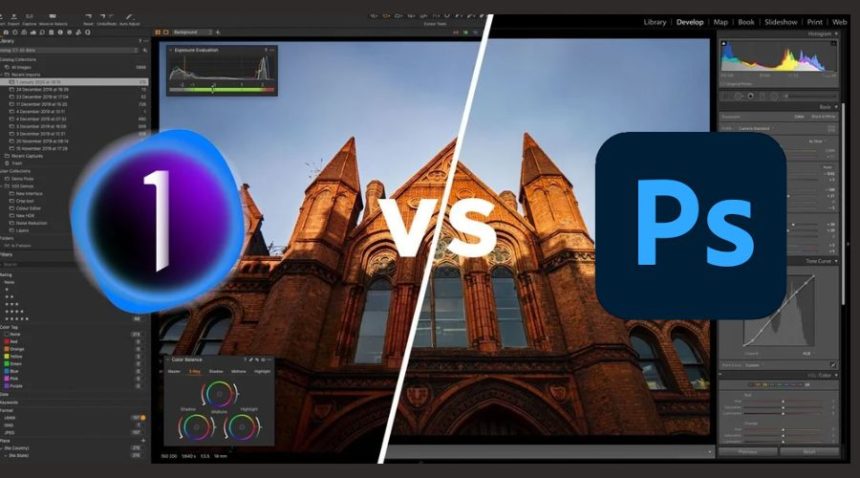
Choosing the right photo editing software is no longer just about basic editing—it’s about workflow efficiency, output quality, and creative control. Two of the most powerful tools dominating the industry today are Adobe Photoshop and Capture One.
While both are premium tools used by professionals worldwide, they are built for different purposes and users. Photoshop is known for its unmatched versatility, whereas Capture One is highly respected for its precision in photography workflows and color grading.
In this in-depth comparison, we’ll break down everything—from features and performance to pricing and real-world use cases—so you can clearly decide which one is better for your needs.
Photoshop vs Capture One: Quick Overview
Before diving deep, let’s understand the core difference between the two.
| Feature | Adobe Photoshop | Capture One | Winner |
|---|---|---|---|
| Primary Use | Design + Editing | Photography | Depends |
| Best For | Designers, creators | Professional photographers | Depends |
| Learning Curve | Steep | Easier | Capture One |
Key Insight:
Photoshop is a multi-purpose creative tool, while Capture One is a specialized photography software built for precision.
Features Comparison
When it comes to features, both tools are powerful—but their strengths differ significantly.
| Feature | Photoshop | Capture One | Winner |
|---|---|---|---|
| Editing Tools | Advanced & unlimited | Focused tools | Photoshop |
| AI Capabilities | Generative AI, smart tools | Limited | Photoshop |
| Layer System | Advanced | Basic | Photoshop |
| Plugins | Massive ecosystem | Limited | Photoshop |
| RAW Processing | Good | Excellent | Capture One |
Analysis
Photoshop clearly dominates in creative flexibility. Its AI tools like Generative Fill and advanced retouching capabilities make it ideal for designers, marketers, and digital artists.
Capture One, on the other hand, focuses on doing fewer things—but doing them exceptionally well. Its RAW processing engine delivers superior detail and color accuracy.
Winner: Photoshop (for features overall)
Ease of Use: Which Is More Beginner-Friendly?
| Factor | Photoshop | Capture One | Winner |
|---|---|---|---|
| Interface | Complex | Clean & structured | Capture One |
| Learning Curve | High | Moderate | Capture One |
| Workflow Simplicity | Medium | High | Capture One |
Analysis
Photoshop can feel overwhelming due to its vast number of tools and options. Beginners often struggle to understand layers, masks, and blending modes.
Capture One offers a more photography-focused interface, making it easier for users to start editing quickly without a steep learning curve.
Winner: Capture One
Performance & Workflow Efficiency
| Factor | Photoshop | Capture One | Winner |
|---|---|---|---|
| Speed | Moderate | Fast | Capture One |
| RAW File Handling | Average | Excellent | Capture One |
| Batch Editing | Limited | Advanced | Capture One |
Analysis
Capture One is optimized for handling large RAW files efficiently, making it perfect for photographers working with hundreds of images.
Photoshop is more resource-heavy, especially when working with multiple layers and high-resolution files.
Winner: Capture One
Color Grading & Image Quality
| Feature | Photoshop | Capture One | Winner |
|---|---|---|---|
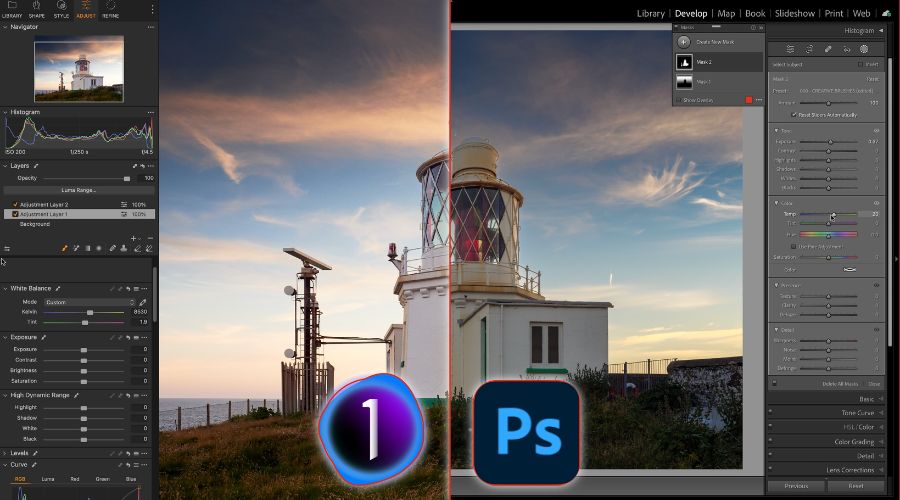
| Color Accuracy | Good | Outstanding | Capture One |
| Skin Tones | Decent | Natural & accurate | Capture One |
| Dynamic Range | Good | Superior | Capture One |
Analysis
This is where Capture One truly shines. Its color grading tools are industry-leading, especially for portrait and fashion photography.
Photoshop is capable, but it doesn’t match the depth and precision of Capture One in RAW color processing.
Winner: Capture One
Pricing Comparison
| Factor | Photoshop | Capture One | Winner |
|---|---|---|---|
| Pricing Model | Subscription | Subscription + One-time | Depends |
| Cost | More affordable | More expensive | Photoshop |
| Value for Money | High | Medium | Photoshop |
Analysis
Photoshop is part of the Adobe Creative Cloud ecosystem, often bundled with Lightroom, making it a cost-effective solution.
Capture One offers flexibility with a one-time purchase option, but overall, it tends to be more expensive.
Winner: Photoshop
Real-World Use Cases
Understanding how each tool performs in real scenarios can help you make a better decision.
| Use Case | Best Choice | Reason |
|---|---|---|
| Social Media Design | Photoshop | Advanced design tools |
| Photo Retouching | Photoshop | Detailed editing control |
| Wedding Photography | Capture One | Better color workflow |
| Studio Photography | Capture One | Tethered shooting |
| Graphic Design | Photoshop | Industry standard |
Pros and Cons
| Category | Adobe Photoshop | Capture One |
|---|---|---|
| Pros | • Extremely powerful and versatile • Advanced AI tools • Industry-standard software • Suitable for multiple use cases |
• Best-in-class RAW processing • Superior color grading • Fast and efficient workflow • Ideal for professional photographers |
| Cons | • Steep learning curve • Subscription-only model • Not optimized for RAW workflows |
• Expensive pricing • Limited design capabilities • Smaller plugin ecosystem |
Final Winner Breakdown
| Category | Winner |
|---|---|
| Overall Flexibility | Photoshop |
| Photography | Capture One |
| Ease of Use | Capture One |
| Features | Photoshop |
| Performance | Capture One |
| Pricing | Photoshop |
Final Verdict: Which One Should You Choose?
Choosing between Adobe Photoshop and Capture One ultimately depends on your goals.
Choose Photoshop if:
- You need an all-in-one creative tool
- You work on design, marketing, or content creation
- You want maximum flexibility and AI-powered tools
Choose Capture One if:
- You are a professional photographer
- You frequently work with RAW images
- You need accurate colors and a fast workflow
Conclusion
Ultimately, there’s no one-size-fits-all answer. Photoshop = Creativity + Versatility, while Capture One = Precision + Professional Photography. Your choice should reflect your workflow, your goals, and the type of content you create.
Whichever tool you pick, mastering it will elevate your work and give you the confidence to create stunning, professional-quality images every time.