
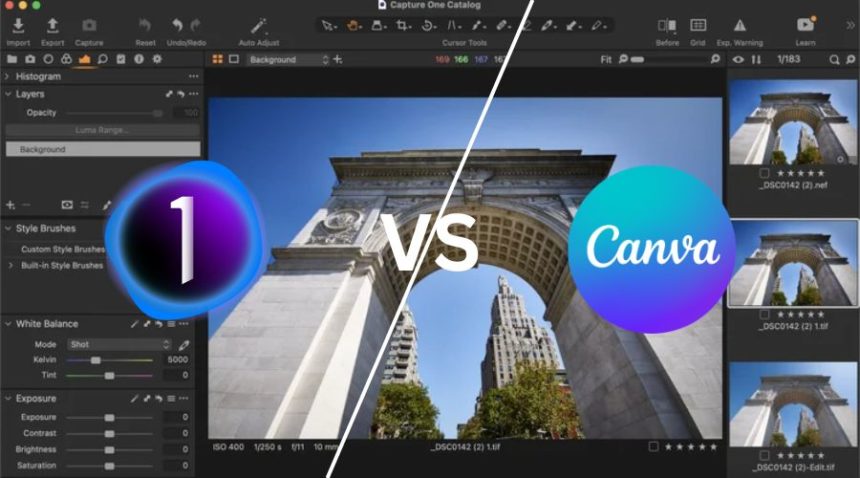
Choosing the right creative tool today depends on what you actually need—professional photo editing or quick graphic design. Two popular tools that often get compared are Capture One and Canva.
While both are powerful in their own space, they serve completely different audiences. Capture One is built for professional photographers, whereas Canva is designed for beginners, marketers, and content creators.
In this in-depth comparison, we’ll break down features, usability, performance, and real-world use cases so you can decide which one fits your workflow best.
Capture One vs Canva: Quick Overview
Before going deep, let’s understand the core difference:
| Feature | Capture One | Canva | Winner |
|---|---|---|---|
| Primary Use | Photo Editing (RAW) | Graphic Design | Depends |
| Best For | Professional photographers | Beginners, marketers | Canva |
| Learning Curve | Moderate | Very Easy | Canva |
Key Insight:
Capture One is a precision photography tool, while Canva is a fast, drag-and-drop design platform.
Features Comparison
| Feature | Capture One | Canva | Winner |
|---|---|---|---|
| Editing Tools | Advanced photo tools | Basic editing | Capture One |
| Templates | Limited | Thousands available | Canva |
| AI Tools | Basic | Strong AI design tools | Canva |
| Layer System | Basic | Simple drag layers | Canva |
| RAW Processing | Excellent | Not supported | Capture One |
Analysis
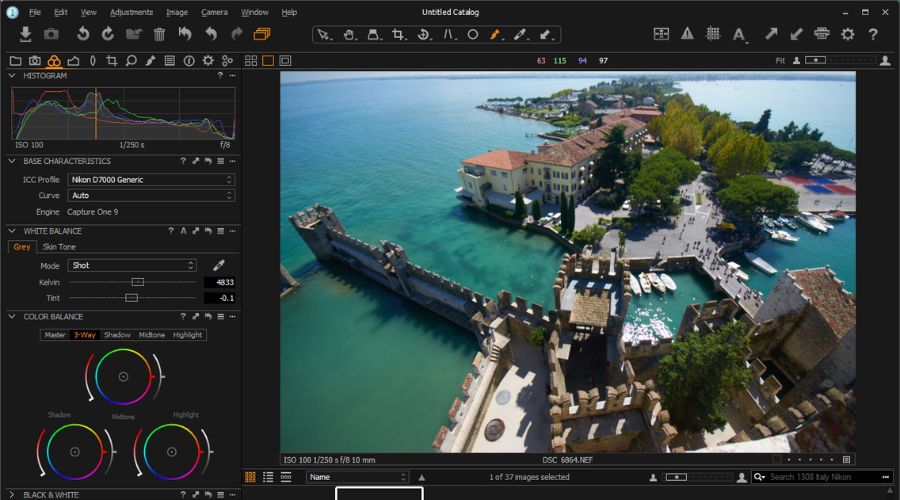
Capture One focuses on high-end photography editing, offering deep control over exposure, colors, and RAW files.
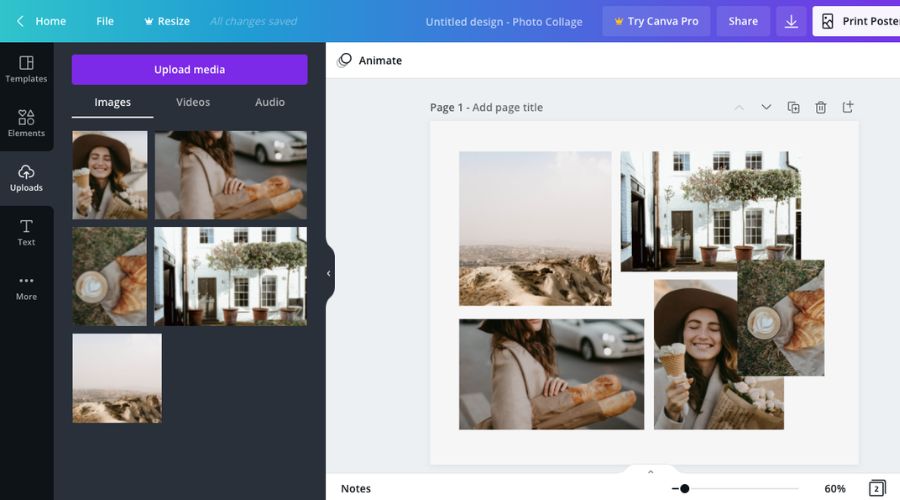
Canva shines in speed and simplicity, providing ready-made templates, drag-and-drop elements, and AI-powered design tools.
Winner: Depends on use case
Ease of Use: Which Is More Beginner-Friendly?
| Factor | Capture One | Canva | Winner |
|---|---|---|---|
| Interface | Professional & complex | Clean & simple | Canva |
| Learning Curve | Moderate | Very Low | Canva |
| Workflow Simplicity | Medium | Very High | Canva |
Analysis
Capture One requires understanding photography concepts like exposure, color grading, and RAW processing.
Canva is built for anyone, even with zero design experience.
Winner: Canva
Performance & Workflow Efficiency
| Factor | Capture One | Canva | Winner |
|---|---|---|---|
| Speed | Fast (local processing) | Fast (cloud-based) | Depends |
| Batch Editing | Advanced | Limited | Capture One |
| File Handling | Large RAW support | Basic files | Capture One |
Analysis
Capture One is ideal for handling hundreds of high-resolution images, especially in professional shoots.
Canva is optimized for quick design tasks, not heavy editing.
Winner: Capture One (for professional workflow)
Image Quality & Output
| Feature | Capture One | Canva | Winner |
|---|---|---|---|
| Color Accuracy | Outstanding | Basic | Capture One |
| Detail Retention | Excellent | Limited | Capture One |
| Export Quality | High-end | Web-focused | Capture One |
Analysis
Capture One delivers studio-level image quality, especially for portrait and fashion photography.
Canva focuses on web-ready graphics, not high-end photo output.
Winner: Capture One
Pricing Comparison
| Factor | Capture One | Canva | Winner |
|---|---|---|---|
| Pricing Model | Subscription + One-time | Freemium + Subscription | Canva |
| Free Version | No | Yes | Canva |
| Cost | Expensive | Affordable | Canva |
Analysis
Canva is extremely budget-friendly and even offers a free version with plenty of features.
Capture One is more expensive but justifies the cost for professional photographers.
Winner: Canva
Real-World Use Cases
| Use Case | Best Choice | Reason |
|---|---|---|
| Social Media Posts | Canva | Ready templates |
| Professional Photography | Capture One | RAW editing |
| Marketing Creatives | Canva | Easy design tools |
| Wedding Photography | Capture One | Color accuracy |
| Presentations & Ads | Canva | Drag-and-drop design |
Pros and Cons
| Category | Capture One | Canva |
|---|---|---|
| Pros | • Best RAW processing • Superior color grading • Fast workflow • Professional-level output |
• Extremely easy to use • Thousands of templates • Free plan available • Perfect for social media |
| Cons | • Expensive • Not beginner-friendly • No design features |
• Limited photo editing • No RAW support • Not for professionals |
Final Winner Breakdown
| Category | Winner |
|---|---|
| Overall Flexibility | Canva |
| Photography | Capture One |
| Ease of Use | Canva |
| Features | Depends |
| Performance | Capture One |
| Pricing | Canva |
Final Verdict: Which One Should You Choose?
Choosing between Capture One and Canva depends entirely on your needs.
Choose Capture One if:
- You are a professional photographer
- You work with RAW images
- You need high-end color grading and precision
Choose Canva if:
- You create social media content
- You need quick and easy designs
- You want a beginner-friendly tool
Conclusion
When comparing Capture One and Canva, it’s important to understand that these tools are not direct competitors—they are built for entirely different purposes.
If your work revolves around professional photography, where precision, color accuracy, and RAW processing matter the most, Capture One stands out as the clear choice. It offers unmatched control over image quality and is trusted by photographers who need flawless results.
On the other hand, if your focus is on quick design creation, social media content, or marketing visuals, Canva is the smarter option. Its simplicity, ready-made templates, and beginner-friendly interface make it perfect for fast and efficient design work without any technical complexity.